Friday, January 17, 2014

Cool Services To Enhance Your Email Experience And Boost Productivity

Email applications to boost productivity
In today's world, the most common means of communication used over the internet has to be the E-Mail service because of its high usage in the corporate section. However, owing to the several subscriptions and spam mails, an email inbox is pretty much hard to read and finding a particular message in it may even take a day. Your inbox therefore seems like a trash can with the most important items at the bottom. But, you can effectively manipulate that trash can and get useful info out of it using some cool email application available. Instead of wasting your time trying to sort out your inbox, let's take a look at some services that can do the job for you.

What mostly fills up your inbox are the online websites you subscribed to and the spammer dudes. The former is easy to handle but the latter is just tasked with making your life worse. With 9999+ unread emails in your inbox, you can see how impossible will it be to look for a particular one especially where the search feature also doesn't work well. Today, we'll take a look at some cool email services that will not only sort out your inbox neatly but will also be helpful to you otherwise. The list isn't sorted.

1. NutshellMail
nutshellmail
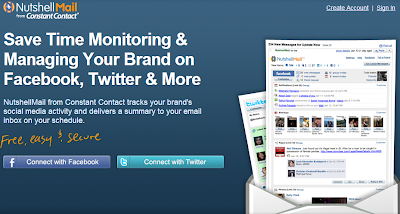
NutshellMail from Constant Contact is a tool that lets you effectively deal with your social media networks updates. You can say goodbye to the thousands of email updates you receive from Facebook, Twitter, LinkesIn, etc. every day because NutshellMail can keep you informed about them using a simgle message only. NutshellMail summarizes the several updates and keeps you informed about the major occurring events. The In-A-Nutshell version not only tells you what you needed, but also saves a lot of your time.

2. Unroll.me

unroll.me
Unroll.me is an online tool that knows its way around the subscription emails. It would effectively scan your inbox and combine the several messages from your subscribers into one mail that you can read or ignore. The good thing is, you can also delete all the unwanted emails using a single click. Unroll.me also gives you the option to unsubscribe from the various online services you subscribed to. All in all, your inbox would just contain the important emails after having a session with Unroll.me. It only however supports Gmail and Yahoo Mail.

3. SaneBox

sanebox
SaneBox, the online paid tool would analyze each email and determine its importance based on your past interaction with the sender and then would sort out the unimportant ones and move them from the inbox to a new folder named the SaneLater and provide a digest of all those mails. It also helps you to managing your email attachments via cloud services. You can unsubscribe from any service you want by a single click. You get the service at a price of $2.04 per month while a free 14-day trial is also available. It supports all the major email platforms.

4. Mailstrom

mailstrom
Mailstrom works with all the major email platforms and helps you to get rid of the junk mail using artificial intelligence techniques that identify the spam and unwanted mails. It would then allow you to archive or delete the junk in bulk and clean your inbox in no time. Mailstrom also lets you unsubscribe from various online sources and helps you sort the incoming messages based upon several parameters. You can also add multiple email accounts and hence receive and manage all the junk from one place.

5. AwayFind

awayfind sms notifications
AwayFind doesn't really clear up your email inbox from the junk but helps you to grab the important mails out of it using notifications. You can add an email account and set certain notifications criteria and AwayFind will notify you whenever a enw mails arrives that satisfies that criteria. Thus, the need to regularly check your inbox for your important mail is gone since you'll be notified when its there. It can notify you via SMS, Twitter, IM tools or through its iOS/Android app. The service is free for one email account but you need to pay $15/month to add up more.

So instead of hesitating to take a look at your enormous inbox, you can actually sort it out and use it well to boost productivity through email. Try any one of the services mentioned and take your inbox from the 9999+ state to Inbox Zero and sure let us know about the big jump you took in the comments section.

Thursday, January 16, 2014

Top 6 Websites To Learn Computer Programming Languages

Learn Computer Programming
Ever wanted to learn computer programming languages, but didn't know where to start? Well, those days are over. Today learning programming languages is not really a hard job. If you are a beginner and have aptitude to learn computer programming then you can accomplish this goal within a few months. Here are the top 6 websites, which are useful for learning programming.

1. W3schools.com

If you are a beginner or intermediate programmer, then w3schools is an excellent website for learning programming. W3schools offer tutorials for a variety of web programming and scripting languages such as html, html5, css, asp, Ajax, JavaScript, php, jQuery etc. So, if you are into web development then w3schools would be a great learning resource.

Learn Computer Programming

2. Codeavengers.com:

If you want learn coding for making games, apps or websites using html/html5, css3, JavaScript python, but want an entertaining teaching resource. Then codeavengers.com is ideal choice for you. Codeavengers.com was designed by keeping difficulty for beginners in mind. It provides a fun and interactive learning environment that is effective for all age groups. Even if you are an intermediate programmer, you might find some great learning stuff there.

Learn Computer Programming

3. Codecademy.com

Codeacademy is another great website, for learning languages like JavaScript, HTML/CSS, PHP, Python, and Ruby. You can even learn how to use some popular web APIs in your website or app.  Codeacademy has a great modern learning system, which is based on user interaction. It has full-fledged programming courses for beginners. Again, this website is great for beginners and intermediate learners. But advanced programmers can also find some pretty useful stuff there.

Learn Computer Programming

4. tutorialspoint.com

Tutorialspoint has tutorials for a lot of web, high level and scripting languages that are commonly used today. You can find tutorials for any computer language that you have ever heard of (those that are currently in used). Apart from that, it also features a variety of tutorials for other fields such as DIP, OS, SEO, Telecom, DBMS, and frameworks etc.  Some commonly used languages that you can learn there are: Java, C++, PHP, Python, Ruby, C#, Perl, VB.Net, ios.

Learn Computer Programming

5. msdn.microsoft.com

Although, beginner programmers might find MSDN (Microsoft Developer Network) a tough learning resource, it is still the best resource you can get, if you want to master Microsoft oriented languages such as VB.Net, C# etc. MSDN has great tutorials for beginners, intermediate and advance programmers.

Learn Computer Programming

But as I stated earlier, beginners might not be initially comfortable with MDSN, as I has really a lot of resources that it would be a hard time for beginners to find what they are looking for. But if you get used to MSDN, then it is the ideal learning point for Microsoft oriented languages. You can get a lot of sample applications, tutorials and resources that are uploaded by Microsoft and MSDN community. Since it�s a developer�s network, you can even find development help from community members.

6. Lynda.com

You might already know about Lynda.com. Lynda offers easy to follow video tutorials. Lynda.com is an old and well established tutoring site, if you are looking for video tutorials to learn computer languages, then Lynda is your ideal choice. Apart from programming languages, Lynda also offers tutorials for a variety of other fields such as 3D modeling, CAD, Photography etc. Lynda.com is an old and well established tutoring site.

Learn Computer Programming

So the next time someone asks you about your computer skills, you know where to turn. I hope you will learn a lot from these websites. All the best :)

Thursday, January 9, 2014

Top 6 White Hat Hackers In The World

Top 6 white hat hackers
Let� begin with who is a white hacker? First of all, white hacker is good, conscientious and ethical hacker, who tries to save the balance of the universe by doing good works. White hats are very useful and it goes without saying they constantly compete with black hats. White hats hackers can be compared with cats, which catch mice, namely they look for defects of the systems. Besides, white hats are computer security guards, they test systems for the level of protection and moreover they improve their skills. Mainly, white hats don�t look for fame or money, they serve in society.
It is undeniable that sometimes black hat hackers became white hackers and prevent crimes, because they perfectly know what to do. So who are they main and most famous white hats of all times?

Before you move on further with this post you might like to read about Top 6 Black Hat Hackers.

1. Stephen Wozniak

Stephen Wozniak white hat hacker
Stephen Wozniak, The Great Woz, as many hackers call him, moreover,  he is �the second half� of Steve Jobs and Apple empire, became as an icon and inspiration for many people, who never lost interest in computer technology. What did he actually do? It is well-known today that he made free long-distance calls possible exploring so-called blue boxes, at the time, when high technology has made its first baby steps.  Nevertheless, one should accept that Woz is an independent developer and worked for the good of people. Currently, Stephen Wozniak is preaching charity and provides new technologies. One can truly say that Stephen Wozniak made a difference in this world and he deserves to be called as a white hat hacker.

2. Tim Berners-Lee 

Tim Berners-Lee white hat hacker
Tim Berners-Lee is well-known around the world as fonder of the web we use - World Wide Web. No wonder that this man invented his first computer using iron, as they say necessity is the mother of invention. Doubtless, his innovating had led him to becoming a president of the Open Data Institute in 2012.

3. Linus  Torvals 

Linus Torvals white hat hacker
Linus  Torvals created Linux operation system, which many of us use. At the beginning, this system was about to be called as Freax, using the combination of words � freak� and �free�. Luckily, nowadays we know it as Linux.  As Linus himself once said that all he wanted to have fun doing something he really enjoys. This seems to confirm the idea that it is the great result of having fun!

4. Tsutomu Shimomura 

Tsutomu Shimomura  white hat hacker
Tsutomu Shimomura is also a very good example of a white hat hacker. The bottom line is he tracked down another hacker � Kevin Mitnick, who actually was a black hat hacker. However, later on he has entered the ranks of white hats. Tsutomu Shimomura caught Mitnick with flying colors hacking Mitnick�s phone. Good job catching �black knight�. Currently Shimomura is CEO and CTO of Neofocal System.

5. Richard Matthew Stallman 

Richard Matthew Stallman white hat hacker
Richard Matthew Stallman is known also by his initials � RMS. His policy is to give users freedom of usage software as well as education, freedom of voice and choice. He has developed Free software foundation, GNU project, which allows use computer and its devices for free
What is more, RMS is a founder of copyright concept. Among the list if his merits are 14 doctorates and professorships.

6. Johanna Rutkowska.

Johanna Rutkowska white hat hacker
When it goes about technology and computers, most of the time we mentioned men. Women weren�t pathfinders in this area, however, they have done enough to be mentioned among outstanding white hats. Thus, this smart lady could hide root kits in software and hardware and to make them invisible to a naked eye. One must admit the talent of he woman. To draw the conclusion, one can say that enumerated people have brought its own contribution in foundation and innovation of computer technologies. Until the world has such brainy �white knights�, its save.


Paul Smith, as a talented writer and well-known blogger, is wonderful worker of bestresumewritingservice. This brilliant writer is very good at computer technology, computer history and innovations. To find out more about Paul and his works, you can reach him at Google+

Monday, January 6, 2014

How To Download APK Files Directly From Google Play?

Download APK Files
Usually, people get apps for their android device by downloading them from Google Play Store. The downloader gets the app installed for you, without bothering you with unnecessary details like the files required for installation etc. But what if you don�t have access to internet and you want an app installed on your phone? Surely you can�t do so without downloading stuff required for the installation. The solution to this problem is simple - just get the APK package of the desired app, and keep it beforehand for later when you need.
APK stands for Android Package. It�s actually a package which contains all the files necessary for installation. In other words, it�s a �standalone� installer for your app which doesn�t require internet connectivity. You can get APK package of an android application from Google Play Store by simply adding an extension called �APK Downloader� to your Google browser. Here we have a step by step procedure which will tell you how to add APK Downloader to your Google Chrome and subsequently, use it for getting APK packages
Once downloaded, the extension is to be added to your Google Chrome Extensions. To do so, follow these steps.
  • Go to the �Tools� menu of your Chrome and select �Extensions�.
  • Locate the file you just downloaded (with extension �.crx�)
  • Now drag the file to your Extensions page.
  • For confirmation look for a small Play Store icon on your address bar
To configure the APK Downloader extension for your android device
  • Select the �options� button on the menu
  • Enter the Gmail ID (the one required for Play Store)
  • Enter your password and device ID of your android device

For those of you who don�t know where to get device ID of your android device
  • Dial  �*#*#8255#*#*� from your android phone
If you are using an android tablet
  • Go to Google Play Store
  • Download �Device ID�
Device ID

Device ID will get your device ID for you.

Getting APK of an app is simple, just locate the app you want (on Play Store) and clicking on the APK icon on your address bar will get you your precious APK for that app. Another good thing about APK package is that it makes app sharing simple, now you can share an app with your friends by simply transferring the package to their device.

APK Icon

The APK and APK Downloader will make your life a lot easier if you face problems in installing your favorite apps due to connectivity issues or if you like to share your favorite apps with your friends.

Did you find this post useful? Did you have any problems? For any query, please ask in the comments section below. Cheers :)


Sunday, January 5, 2014

6 Most Common Password Cracking Methods And Their Countermeasures

6 method used to crack passwords
There are number of methods out their used by hackers to hack your account or get your personal information. Today in this post i will share with you guys 6 Most commonly used method to crack password and their countermeasures. You must check out this article to be safe and to prevent your online accounts from hacking.

1. BruteForce Attack

brute force attack
Any password can be cracked using Brute-force attack. Brute-force attacks try every possible combinations of numbers, letters and special characters until the right password is match. Brute-force attacks can take very long time depending upon the complexity of the password. The cracking time is determined by the speed of computer and complexity of the password.

Countermeasure: Use long and complex passwords. Try to use combination of upper and lowercase letters along with numbers. Brute-force attack will take hundreds or even thousands of years to crack such complex and long passwords.
Example: Passwords like "iloveu" or "password" can be cracked easily whereas computer will take years to crack passwords like "aN34lL00"


2. Social Engineering

Social engineering is process of manipulating someone to trust you and get information from them. For example, if the hacker was trying to get the password of a co-workers or friends computer, he could call him pretending to be from the IT department and simply ask for his login details. Sometime hackers call the victim pretending to be from bank and ask for their credit cards details. Social Engineering can be used to get someone password, to get bank credentials or any personal information.

Countermeasure: If someone tries to get your personal or bank details ask them few questions. Make sure the person calling you is legit. Never ever give your credit card details on phone.

3. Rats And Keyloggers

keylogger
In keylogging or RATing the hacker sends keylogger or rat to the victim. This allows hacker to monitor every thing victim do on his computer. Every keystroke is logged including passwords. Moreever hacker can even control the victims computer.

Countermeasure: Never login to your bank account from cyber cafe or someone else computer. If its important use on-screen or virtual keyboard while tying the login. Use latest anti-virus software and keep them updated. Check out below article to know more about Rats and Keyloggers.

4. Phishing

phishing hacking
Phishing is the most easiest and popular hacking method used by hackers to get someone account details. In Phishing attack hacker send fake page of real website like facebook, gmail to victim. When someone login through that fake page his details is send to the hacker. This fake pages can be easily created and hosted on free web-hosting sites.

Countermeasure: Phishing attacks are very easy to avoid. The url of this phishing pages are different from the real one. For example URL of phishing page of facebook might look like facbbook.com (As you can see There are two "b"). Always make sure that websites url is correct. Check out below article to know more about phishing.

5. Rainbow Table

A Rainbow table is a huge pre-computed list of hashes for every possible combination of characters. A password hash is a password that has gone through a mathematical algorithm such as md5 and is transformed into something which is not recognizable. A hash is a one way encryption so once a password is hashed there is no way to get the original string from the hashed string. A very commonly used hashing algorithm to store passwords in website databases is MD5. It is almost similar to dictionary attack, the only difference is, in rainbow tables attack hashed characters are used as passwords whereas in dictionary attack normal characters are used as passwords. 

Example: �hello� in md5 is 5d41402abc4b2a76b9719d911017c592 and zero length string ("") is d41d8cd98f00b204e9800998ecf8427e

Countermeasure: Make sure you choose password that is long and complex. Creating tables for long and complex password takes a very long time and a lot of resources

6. Guessing

password guessing
This seems silly but this can easily help you to get someones password within seconds. If hacker knows you, he can use information he knows about you to guess your password. Hacker can also use combination of Social Engineering and Guessing to acquire your password.

Countermeasure: Don't use your name, surname, phone number or birthdate as your password. Try to avoid creating password that relates to you. Create complex and long password with combination of letters and numbers.

Friday, January 3, 2014

How To Run WhatsApp On Your Desktop Computer?

Run WhatsApp on your desktop computer!

WhatsApp is a really cool messaging app that lets you send messages and chat with your buddies absolutely free of charge! It is the most popular messaging app for Android and iOS smartphones, and rightly so! It connects people from around the world. But the problem is, it's only made for smartphones. You can't use it well on older/feature phones. And even if you do own a smartphone, it drains away your precious battery time, since it needs internet connectivity to do its thing. Well if you're like me and don't want to let battery timing get in the way, there's a solution! You can install and use the app right from your desktop computer!

What is WhatsApp?

WhatsApp is a free messenger designed to be used on smartphones. It works over the internet and allows you to talk to any person living anywhere on planet Earth provided that you know their cellphone number. The app is designed for Nokia Symbian, iPhone, Android and Windows Phone devices and it�s completely free to use for the first year. Don�t let that last line bother you, since there are ways to get it for an unlimited time.

I did not mention PC or Mac in the supported platforms because this app is not officially available on them. But the title wasn�t misleading since we got it running on a PC and Mac.

What will I need?

The tools or rather software that you need is a simple Android emulator for PC/Mac. The one we�ll be using is the well-known Bluestacks App Player you can download from the link provided below.
And yes, WhatsApp will need your cell-number so you better make sure you have one.

Your system must have a 1GB+ RAM for running the emulator. Good graphics card and processor will obviously result in better rendering but a simple one would also do. Mac OS X or PC with XP SP3, Vista, 7 and 8 are supported.

Let�s Begin�

The steps shown below work for both PC and Mac. Just make sure you download the correct version of Bluestacks.
  • First up, download and install Bluestacks app player. It�s a straight forward installation. However it might want to download extra stuff so your internet connection better be working
  • Run the player from the desktop icon. You�ll get to a screen similar to the one shown below
BlueStacks
  • Click on the Search icon and enter WhatsApp
  • Select WhatsApp Messenger from the list and proceed to the installation. It might also ask you for a Google account, just provide that right away. Since it is an Android emulator, you�ll be navigated to Google Play. Click Install and it�ll start the download.
Download WhatsApp
  • And that�s it! WhatsApp will ask you to enter a valid phone number. The verification will also work through that number so you better enter it correctly.
  • Great! Now you can use WhatsApp the way you do it on a smartphone. You can customize your profile, contact all your friends regardless of which platform they are running the app on and also get live notifications of new messages from the emulator.
Use WhatsApp!

You can open up the app form the My Apps category in the main screen.

So why WhatsApp?

There are several other such messenger services available on the same platforms. You have Viber, Wechat, Kik and whatnot. Firstly, WhatsApp is the most popular app of the lot. Secondly, WhatsApp has got everything - you can communicate text, images or even high quality videos with friends. Plus, it�s simple and easy to use. And if your one-year free license expires, you can always reinstall the app to get it back.

WhatsApp is not officially released for PC/Mac but there are ways like the one mentioned above that make that happen. The methodology is simple but works quite well. WhatsApp is also the best of its kind which makes it a must-have. Just in case you were wondering throughout this tutorial, YES you can run any android app/game on the software mentioned. Guess your life just got better, much better!

Got any questions? Feel free to shoot 'em in the comments section below. Cheers :)

Friday, December 20, 2013

Top 6 Black Hat Hackers In The World

There are two types of hackers. First one are good hackers who are known as "white hat" hackers and another one which we will be talking about today are called "black hat" hackers. In this article, we will be talking about six famous black hat hackers and their hacks which made them famous or wanted.

George Hotz

Young and talented and what is the most important bored teenager, George Hotz wanted to have fun one summer night and  as a result he hacked the Sony�s company Iphone. It happened in June of 2007, by that time George was 17. It was a bit of a challenge, because how to hack device with assistant things?  The secret is to figure out how �to speak to the device�.He also mentioned that what he did was completely legal.It seems people can be dangerous in certain way when they are bored. Who knows what may happen if crazy smart geek will find thy way of his ideas.

Kevin Mitnick                                                            

Kevin Mitnick is well-known as the most-wanted computer criminal in the United States. He was in high school when he started hacking. For several years he hacked dozens of companies.What interesting, for those �services� he was finally arrested in 1995 at his apartment for hacking. Kevin also has served 5 years in prison, nevertheless despite of his experience he runs his own security firm named Mitnick Security Consulting. The other side of the coin is, however Mitnick published a book that calls �Ghost in Wires�, which is about his upps-and-downs, victories and crushes. He shared that every hack was like a climbing to mountain and he reached the Everest. This is one more proof how talent have pined, because of a boredom.

Adrian Lamo

Adrian was called as the most effective and controversial hacker of the 21st century. That is very flattering status.He was famous for breaking into several high-profile computer networks. Lamo might use his gift to help people to consult, what is actually he did, but as exception and compromise.His baby steps in hacking, Adrian Lamo made pretty early and became known for the first time for operating AOL watchdog site.As many others, he was arrested in 2003 and had to correspond for each and every computer crime.Thus, even if Lamo now works as a threat analyst and public speaker, his glory will always follow him, because our past if the part of our �present�  and a part of who we are.

Gary McKinnon 

This �black hat� McKinnon  hacked into 97 United States military and NASA computers. He could be the biggest threat  for government. Glasgow-born McKinnon wanted the truth to come out and show itself. In March 2002 Gary was arrested by police. �Black hat� used his hacking skills to �research� his beliefs and evidence of UFOs  inexhaustible source of power, into the US government�s computers. He didn�t do that because of boredom, but because of obsession and thirst to hidden knowledge. Probably this computer crime is serious, but forgivable. Man wasn�t going to hack computer system because he was bored or to prove something, we was looking for truth no more than.

Jonathan James

Story of Jonathan James  is sad, nevertheless his life can be compared to comet � short, but bright. In 1999 teenager at the age of 15 years old hacked into Bellsouth and Miami-Dade school network. Jonathan James damaged NASA Systems, it costed $41,000 to fix the systems.  It goes without saying that he made serious damage. To stole software from NASA that worth $1.7 Million is one the biggest computer crimes. He wasn�t after information or justice, he was after money� As they say, never speak ill of the dead.Jonathan James was sentenced 6 months house arrest and banned from using computer, however that didn�t prevent him to commit suicide.

Kevin Poulsen

This talented �cyber-terrorists� could have great career and almost blow his chance.  It seems that this hacker likes contracts  and his life reflects it pretty well. He hacked into the US Department of Defense's Arpanet. However later  he worked as a consultant testing Pentagon computer security. Late on Kevin hacked  FBI, after that hacked phone lines to radio station  of Los Angeles� Poulsen�s life reminded American switchbacks�Certainly he was wanted by FRI  and finally they caught him. Despite of such interesting past, Kevin is law-abiding citizen and has several awards  of International Academy of Digital Arts and Sciences.

Paul Smith deals with paper writing services reviews. He is well-educated and many-sided specialists, which experts in modern technologies, devises, robotics and informatics. To reach Paul you can use

Wednesday, December 11, 2013

Hackbook Review - Beginner's Guide to Hacking with Tools

the hack book
The Hack Book is awesome eBook for beginners who wants to dive into the field of hacking. It contains guides to hacking tools and scripts along with underground hacking websites with awesome stuff. I would recommend this book if you are newbie in the field of hacking. You must check out Free Sample of this eBook by Clicking Here. Check out complete article to know more about this book.

Topics Covered In The Hack Book

  • Learn various Hacking Techniques.
  • Learn To Secure Your Computer From Various Hacking Attacks
  • Learn How to Tap Computers. (12+ Tools Included!)
  • How to use Malware's (30+ Tools Included!) and also Protect yourself against it.
  • Learn To Be Anonymous On The Internet
  • Few ways of Hacking Facebook, Yahoo and Email Accounts. (Scripts Included!)
  • Make Destructive Viruses. (2 Programs Included)
  • Network Hacking
  • Website Hacking.
  • Access to the latest Hacking Tools and Underground Communities.

Features

Non Technical Writing - First off, the writing. The writing isn't technical at start for the readers convenience. But the usage of technical words is important later on in the eBook is something you will find. The upside is that, he explained EVERY single technical keyword at some point of time in the eBook.

Hacking Tools � The best part about the eBook is that the author gives you a handful of POWERFUL hacking tools to kick start your hacking adventures. And unlike the other websites on the web, we give tools such as these : Learn How to Hack | Hacking eBook 

Coding -  Though coding isn�t required for implementing the whole of this eBook.Also,he doesn't teach you the whole of coding in the book (which is near impossible for any writer). He stressed well on the importance of learning coding after reading this book to become a successful and professional Hacker. The more coding you learn, the better you get at it.

Very Descriptive � The book has many pictures. As you can see for yourself in the sample book, you will see that he has given a thorough explanation with pictures for EXTREMELY easy understanding.

I would say this is a MUST READ for any budding hacker.


Sunday, December 8, 2013

Hacking Window 7 Password Using Ophcrack

In this tutorial i will teach you to hack Window 7 password using free open source software called ophcrack. This hack also works on Windows XP and Windows Vista. So let get started.

What Is Ophcrack ?

Opcrack is an open source windows password cracker based on rainbow tables. It comes with Graphical user interface(GUI) and runs on multiple platform such windows, linux and mac.  It allows you to recover or hack windows password.

How To Crack Windows 7 Password Using Ophcrack ?

Before you start doing this you will need a blank CD or DVD to burn the live image of ophcrack.

  1. Download Opcrack Live Cd by Clicking Here.
  2. Download windows xp or windows 7 live cd depending on platform you are wishing to hack. For example:
  • Windows 7 or Windows Vista: Click on ophcrack Vista/7 LiveCD.
  • Windows XP: Click on ophcrack XP LiveCD.
  2. Now burn the live image on to the cd.
  3. Insert the disc into drive and restart you computer.
  4. If everything goes right you will see screen like below.
window7 password hacking

  5. After you see screen like above wait for ophcrack to boot automatically or you may press Enter to advance.
  6. Now you will see several lines of code printed on screen or they might disappear very quickly (you dont need to worry about that).
  7. Then you will see screen like below it is ophcrack password recovering software. At the Ophcrack screen it shows the Administrator and Guest account. Notice the word �empty�. This means that if the account is enabled you could log in without a password.
Windows 7 Password hacking
  8. Ophcrack WILL NOT CRACK THE PASSWORD because the hash table which it needs is not available for free. But it does show the NTLM hash.
  9. Copy this hash value which is under NT Hash field.
 10. Navigate to http://crackstation.net/ which is an online hash cracking tool.
 11. Type in the hash value you copied down in Step 9, Enter the captche and click on Crack Hashes.

More Hacking Tutorials